Why Your Emails Land in Spam: SPF, DKIM and DMARC in Plain English

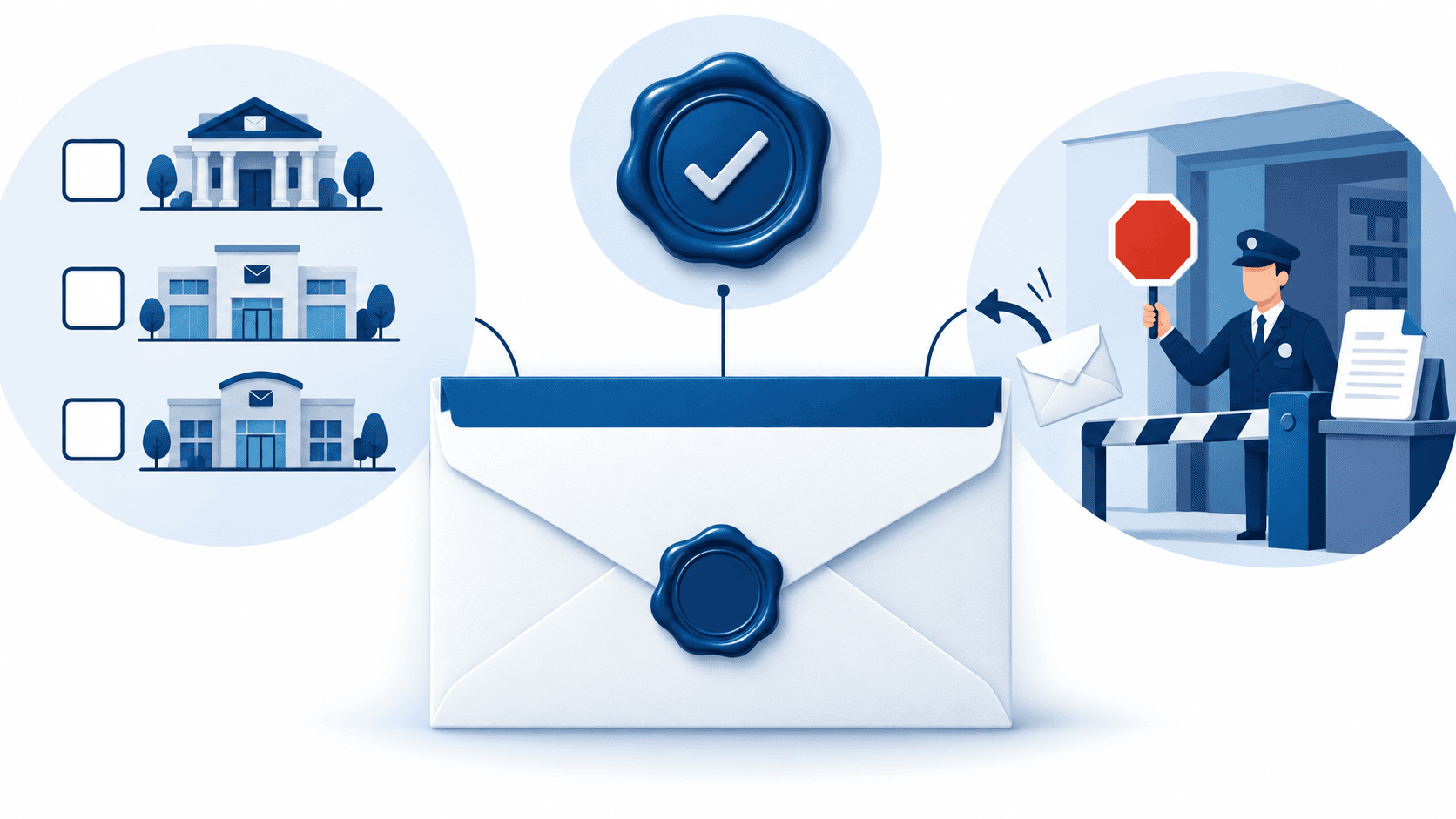
Three DNS records — SPF, DKIM and DMARC — decide two things that matter to every business: whether your real emails reach the inbox, and whether a criminal can send email that looks exactly like it came from you. Since 2024–2025, Google, Yahoo and Microsoft have made all three mandatory for anyone sending at volume and recommended for everyone else, and non-compliant mail is increasingly rejected outright rather than filtered. Yet across most studies only around 10–13% of domains actually enforce DMARC. Here's what each record does, in plain language, and how to fix yours this week.
The problem, in one scenario
Your accounts team emails an invoice to a client. It lands in their spam folder; they pay late; you chase. Meanwhile a criminal sends your client an email from "accounts@yourcompany.com" with new bank details — and that one lands in the inbox. Both failures have the same root cause: nothing on the internet proves which emails are really yours. Email was designed in an era when nobody imagined anyone would lie about who sent a letter. SPF, DKIM and DMARC are the three fixes bolted on since — and they're the technical half of the defence against the AI-written phishing we wrote about last week.
The three records, explained with a letterhead
SPF — the list of post offices allowed to use your letterhead
SPF is a public note saying "email from our domain legitimately comes from these servers": your Microsoft 365 or Google Workspace, your invoicing software, your newsletter tool. A receiving mailbox checks the sending server against the list. Not on it? Suspicious. The classic SME mistake: a new tool starts sending on your behalf — accounting system, CRM, HR platform — and nobody adds it to the list, so your own legitimate mail starts failing.
DKIM — the tamper-proof seal
DKIM puts a cryptographic signature on every email you send — a wax seal only you can make. The receiver checks the seal against a public key you publish; if the message was altered or forged, the seal doesn't match. SPF says who's allowed to send; DKIM proves the message itself is genuine and unaltered. Your mail platform does the signing automatically once it's switched on — the switching on is the part that gets skipped.
DMARC — the instruction to the mailroom
DMARC is a published rule telling every receiving mailroom in the world what to do when a message claiming to be from you fails the first two checks: do nothing (p=none), put it in spam (p=quarantine), or refuse it (p=reject) — and please send me a report. Without DMARC, SPF and DKIM are advice nobody has to follow. With DMARC at reject, forged email from your domain simply stops arriving. The studies are consistent: plenty of companies have published a DMARC record, but only around one in ten enforce it — which means most "protected" domains are still spoofable.
What the mailbox providers now require
Google and Yahoo began enforcing sender requirements in 2024; Microsoft followed for Outlook, Hotmail and Live addresses from May 2025. Senders of roughly 5,000+ messages a day must have SPF, DKIM and a DMARC policy, keep spam complaints low, and offer one-click unsubscribe — and all three providers recommend the same setup for every sender regardless of volume, because their filters already score you on it. The practical translation for an SME: if your invoices, quotes or newsletters are going to spam, this is almost always why.

How to fix it this week
- Check where you stand (5 minutes). Send an email from your work account to a personal Gmail, open it, choose "Show original", and look for SPF, DKIM and DMARC each marked PASS. Three passes: you're in good shape. Any FAIL or missing line: continue.
- List everything that sends as you. Mail platform, accounting software, CRM, marketing tool, website contact form, HR system. Each one needs to be in SPF and ideally signing with DKIM. This inventory is where most of the work is.
- Publish SPF and turn on DKIM. Both are a few DNS records; Microsoft 365 and Google Workspace have step-by-step screens for their part, and each third-party tool documents its own.
- Add DMARC at p=none and read the reports. For two to four weeks, the reports show you every system sending as your domain — including ones you forgot, and ones that were never yours.
- Move to quarantine, then reject. Once the reports show only legitimate senders passing, tighten the policy. Reject is the finish line: from that point, forged mail from your domain stops arriving at properly configured mailboxes.
Self-check for the boss: ask your IT provider "What's our DMARC policy — none, quarantine or reject?" If they need to look it up, that's fine. If they don't know what you're asking, that's the finding.
Frequently asked questions
Will this stop all phishing?
No — it stops criminals forging your exact domain. They can still register a look-alike domain or send from a free webmail with your name. That's why the technical records and staff verification habits are two halves of one defence, not alternatives.
Can we break our own email doing this?
Yes, if you jump straight to reject with an incomplete sender list — your forgotten invoicing tool suddenly bounces. That's exactly what the p=none reporting period is for: look first, tighten second.
We only send a few hundred emails a day — do the rules apply?
The hard mandate kicks in around 5,000 a day, but the providers' spam scoring applies to everyone, and your domain is spoofable regardless of your volume. Small senders get the deliverability benefit and the anti-forgery benefit for the same hour of work.
Is this part of Cyber Essentials?
It sits naturally under the Secure/Protect area and under "reasonable security" for PDPA, and it's item 8 on our 15-point cybersecurity checklist — one of the few items that improves both your security and your sales emails' delivery rate.
Our approach
For managed IT clients we set up SPF, DKIM and DMARC during onboarding and walk the policy to reject — it's a two-week job done once, not a project. Not sure whether your domain is protected? Book a discovery call and we'll check your records live on the call — it takes about three minutes and the answer is usually educational.

Steven Shi · Founder & Technical Director
Steven is the founder and Technical Director of Evernet Systems, a Singapore-headquartered managed services provider serving 70+ SMEs. He leads Evernet's move from traditional MSP to AI adoption partner: the company tested AI on its own operations first — about 40% automated by 2026 — and now helps clients adopt it the same way. He writes about practical AI adoption, IT infrastructure and PDPA compliance for growing businesses.
Need help with this?
We help Singapore SMEs put these ideas into practice. Book a free 30-minute discovery call.
Book a CallRelated articles
What Is EDR and MDR? Does Your SME Actually Need It?
Antivirus checks faces against a wanted list. EDR is the security camera that notices someone carrying out the safe at 2am. MDR is the camera plus a guard who actually runs over. What each costs, and an honest answer to whether your business needs the upgrade.
Read Industry TipsPhishing in 2026: Training Your Staff for the Deepfake Era
The spelling-mistake era is over: most phishing is now AI-written, and the voice on the phone can be cloned from 3 seconds of audio. What still gives scammers away — and the verification habits that beat even a perfect fake.
Read